Using AI to draft integration flows, without giving it your records
AI can draft and explain integration flows from settings and field names alone. Where the line sits between helpful and risky, the guardrails to require, and the questions your security team will ask.
AI assistants can now draft an integration from a sentence: "every weekday at 6, load the bank's payment files and email finance the bad rows." For a small IT team, that is a real time saver. It also raises a fair question from security and records staff: what does the AI see?
The answer can be "very little", if the tool is designed for it.
What drafting a flow actually needs
To draft a flow, an AI needs to know:
- Which connections exist, by name.
- What resources and fields each connection offers.
- The step types available and their settings.
- What you asked for.
It doesn't need to see a single resident's record. Field names like address, status and amount are enough to draft the steps and suggest mappings.
Where the risk comes from
Problems start when AI features are given more than they need:
- Sample records sent along "to help it understand the data".
- Credentials included in the settings it reads.
- Run logs with record contents pasted in to explain an error.
- Permission to act, such as turning a flow on by itself.
Each of these can be avoided by design rather than by policy.
Guardrails to require
Off by default
AI should be off until an administrator turns it on for your agency. That makes it a deliberate choice, recorded in the activity log.
Settings and names, not records
The flow builder, the explainer and field mapping should work from settings and field names only. If a feature can use sample values, it should be a separate switch.
No secrets
Passwords, tokens and keys should never be sent to an AI service. Neither should server addresses, where avoidable.
Drafts, not live changes
AI should create drafts that are turned off. A person reviews the draft, previews it on real records inside the platform, and decides when it goes live. It shouldn't be able to change a flow that is already running.
A record of every call
Each AI call should be logged: who asked, when, which feature and which model. Your records manager may treat these logs as records, so they should follow your retention settings.
When AI does touch records
Some uses genuinely need record contents, such as sorting a 311 description into a category, summarizing free text, or translating it. That is a different decision from drafting a flow, and should be treated as one.
- It should need its own admin approval.
- The flow should list exactly which fields are sent, and nothing else.
- There should be a limit on how many records a run can send.
- Results should come back as new fields, without the AI service keeping a copy as part of the platform.
Check your agreement with the AI provider about data use and retention, and involve your privacy officer.
Explaining flows without AI
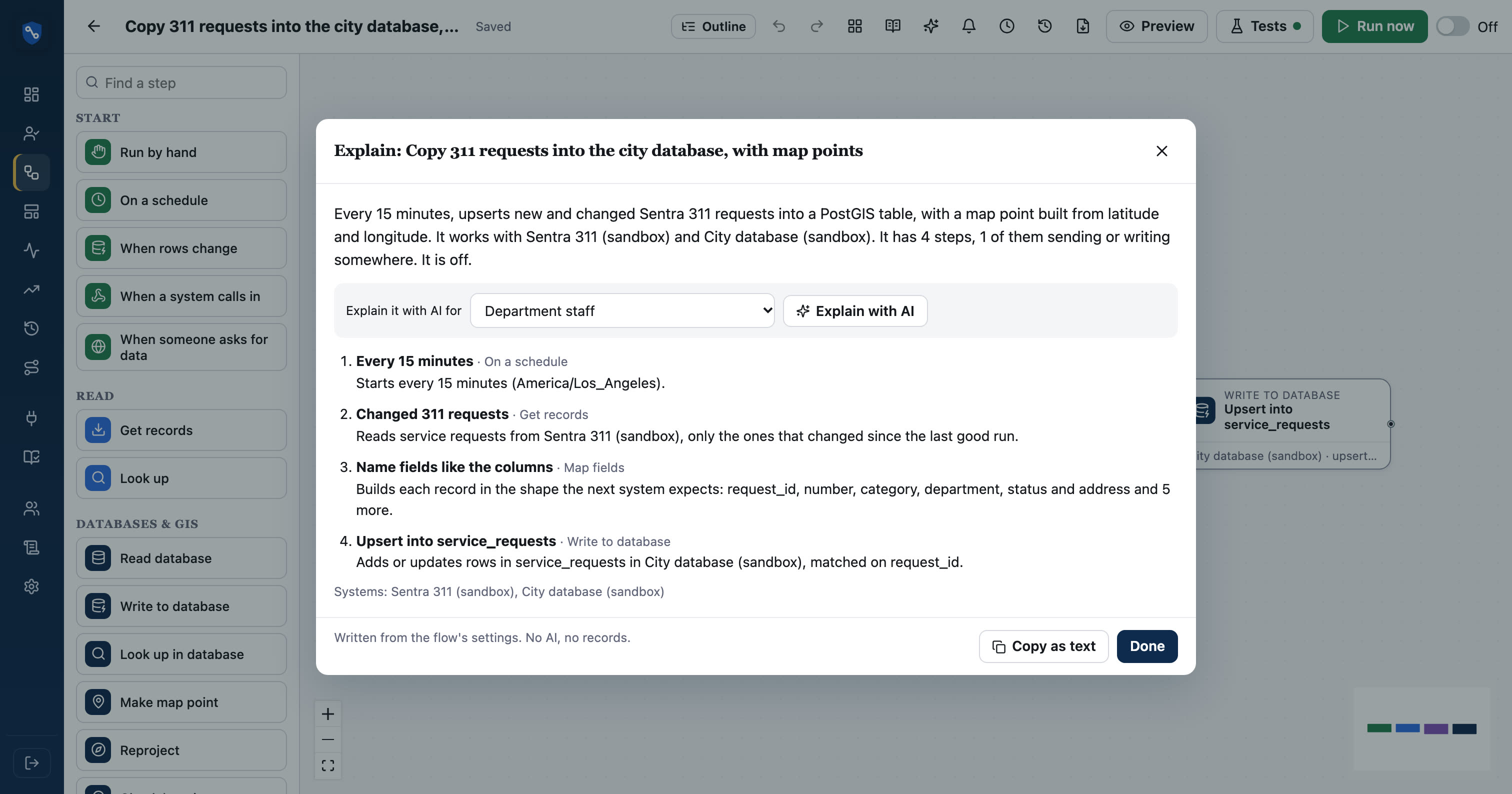
Not every "explain this" needs AI. A plain-English description of a flow can be generated from its settings alone: what starts it, what each step does, which systems it reads and writes. That works on closed networks and involves no outside service. AI can add a layer on top, such as questions an auditor might ask.
Questions your security team will ask
- Is AI off until we turn it on?
- What exactly is sent: settings, field names, sample values, records?
- Are credentials ever included?
- Can AI turn a flow on or change a running one?
- Is each call logged, and can we export the log?
- Which AI provider is used, and under what terms?
Have answers ready before the pilot, not after.
A sensible way to start
- Turn AI on for one workspace or department.
- Use it to explain existing flows first. It is the lowest-risk use, and new staff find it valuable.
- Then try drafting new flows, reviewing each one carefully.
- Leave AI-on-records features off until there is a clear need and a privacy review.
In SentraBridge
SentraBridge's AI is off until an admin turns it on. The flow builder, explainer and field mapping see settings and field names, never records, passwords or addresses. Drafts are always off, a person turns every flow on, and every AI and assistant call is logged. The Ask AI step sends only the fields you list, after a separate admin switch. "Explain this flow" also works without AI. See AI in SentraBridge.