
See the data.
Before anything is sent.
Preview runs your flow on a few real records and shows what each step received and what it would send. Nothing is written anywhere, and nothing is kept.
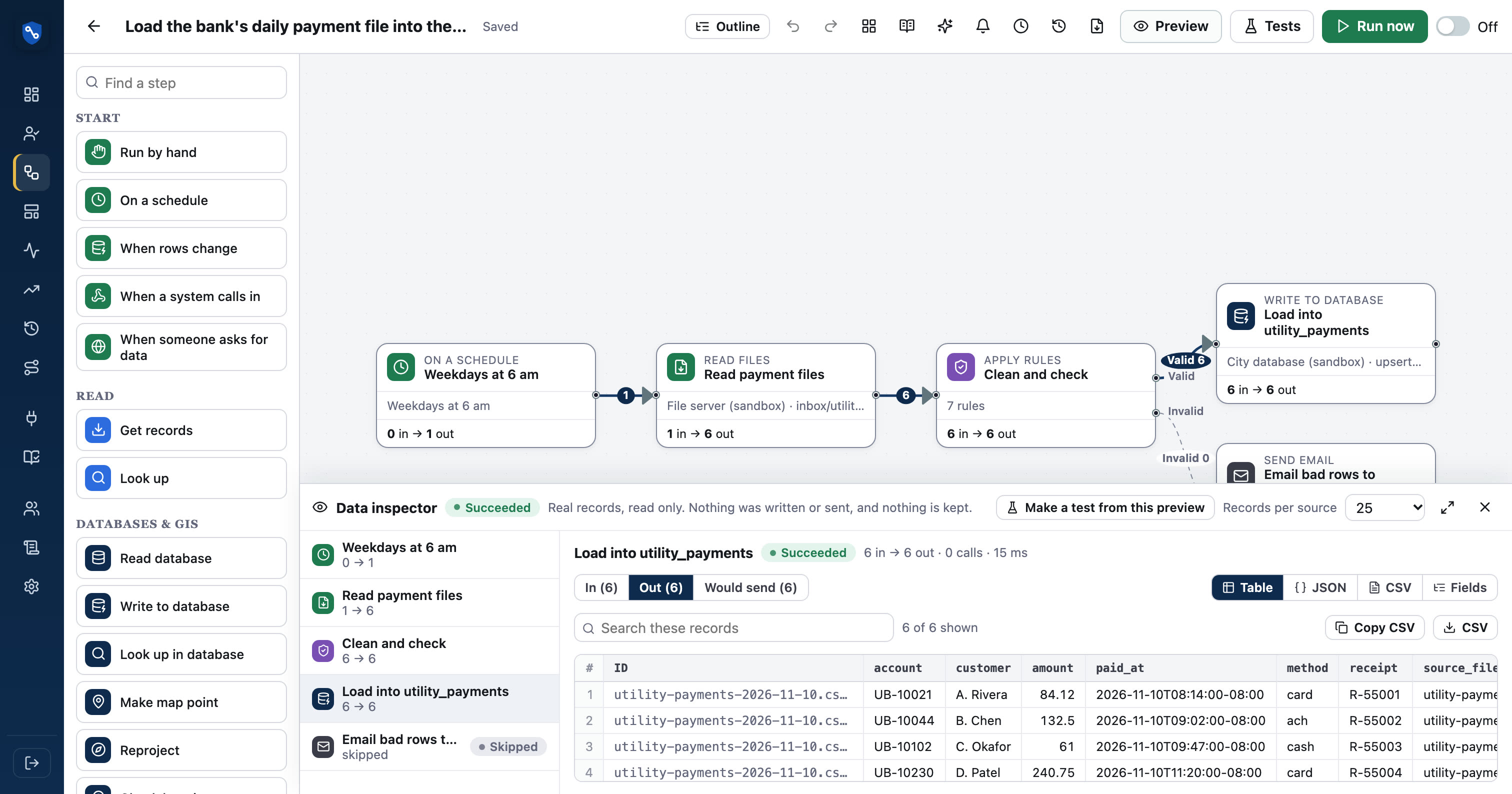
How data inspector works
- 01PreviewRead 5, 25 or 100 real records per source
- 02CountEvery wire shows how many records crossed it
- 03InspectClick a wire for table, JSON, CSV or field summary
- 04FixAdjust a step and preview again; nothing was written
Where did the 3 records go?
Like the inspectors in desktop data tools, each wire shows a record count after a preview. When 412 rows go into Clean and check and 409 come out the Valid side, the 3 on the Invalid side are one click away.
- Counts per output on branches and rules
- Click any wire to open its records
- Works across sub-flows and combines
| account | amount | paid_on | problem |
|---|---|---|---|
| 40-118-22 | 86.40 | 2026-11-09 | No account match |
| 112.00 | 2026-11-09 | Account is required | |
| 40-771-05 | -12.00 | 11/09/26 | Amount must be positive |
Table, JSON, CSV or a field summary.
The table view is for scanning rows; JSON shows nested data exactly as an API returned it; CSV is ready to paste into a spreadsheet; the field summary lists every field with its fill rate and sample values, which is the fastest way to find the field you need.
- Search within the records
- Download what you see as CSV
- Field summary shows empty and mixed-type fields
Preview that can't write.
Preview reads from sources but never calls a write step: no records created, no emails sent, no files written. Results live in the browser session and are gone when you close the drawer. That makes it safe to try a flow against production data.
- Write steps show what they would have sent
- Nothing from preview is stored on the server
- Tested: a feature test checks preview never writes
See it in real flows.
Load the bank's daily payment file into the city database
Every morning, reads new payment CSV files from the bank's SFTP folder, cleans and checks them, loads them into a database table, and archives the…
PostgreSQL / PostGIS → Esri ArcGIS feature layer → SFTP serverPermit pipeline: map issued, report finaled, file expired
Nightly, reads changed permits with a SQL query, cleans and checks them, then puts issued permits on the ArcGIS map, emails building a total of…
Questions, answered
Is preview data stored anywhere?
No. Preview reads a few records, runs the steps in memory and returns the results to your browser. The server does not save them, and closing the drawer discards them.
Can preview send an email by mistake?
No. Send records, write to database, write file, transfer file and send email steps all show what they would have done instead of doing it.
How many records does it read?
You choose 5, 25 or 100 records per source.
See your own systems connected.
We'll set up a workspace with your systems in a sandbox and build your first flow with you.