
Describe it. AI drafts it.
Any flow, explained.
Tell SentraBridge what you need in plain English and get a draft flow to review. Ask it to change a flow, explain one to a new colleague, or let your own AI assistant read and draft flows. AI sees settings and names, never records, and a person always turns flows on.
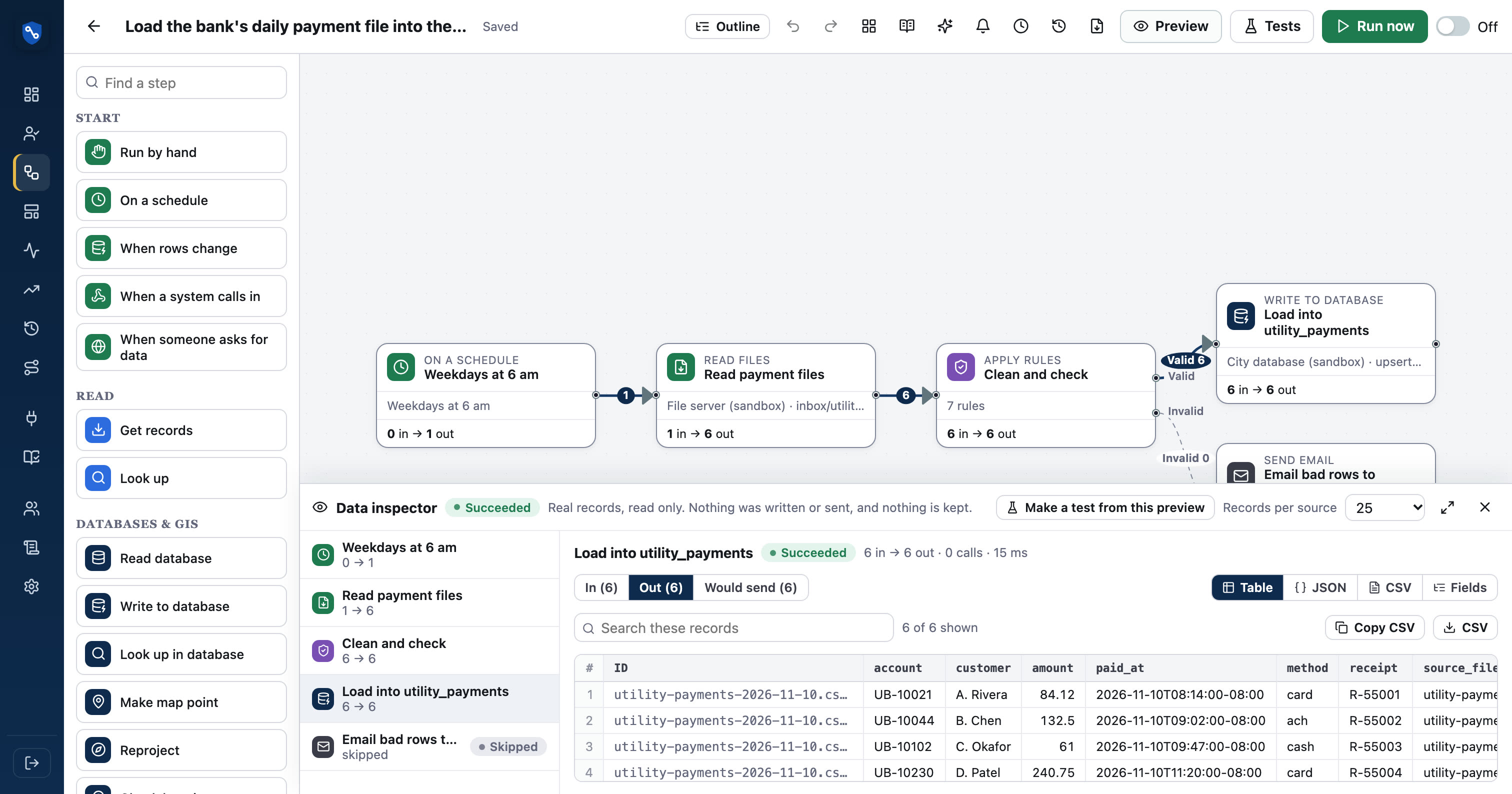
“Every weekday at 6, read new payment files from the bank’s SFTP folder, drop rows without an account, load the rest into utility_payments and email finance the bad rows.”
From a sentence to a running flow
- 01DescribeSay what should happen, in a sentence
- 02DraftAI picks the steps, connections and settings
- 03PreviewCheck it on real records; nothing is sent
- 04ExplainRead it back in plain English
- 05Turn onA person decides when it goes live
From a sentence to a draft on the canvas.
Describe the integration the way you'd tell a colleague: “Every weekday at 6, load the bank's payment files and email Finance the bad rows.” The builder proposes the steps, connections and settings as a draft. You review it, preview it on real records, and turn it on when it's right.
- Uses only your workspace's real connections
- Every step stays editable
- Drafts are never turned on by themselves
“Also email the clerk when one fails.”
Ask for a change to the flow in front of you and see it applied on the canvas. Undo takes it back, and every saved change is a version you can compare and restore.
- Keeps the steps that don't change
- Undo, version history, restore
- Same guardrails as drafting
Plain English for whoever is reading.
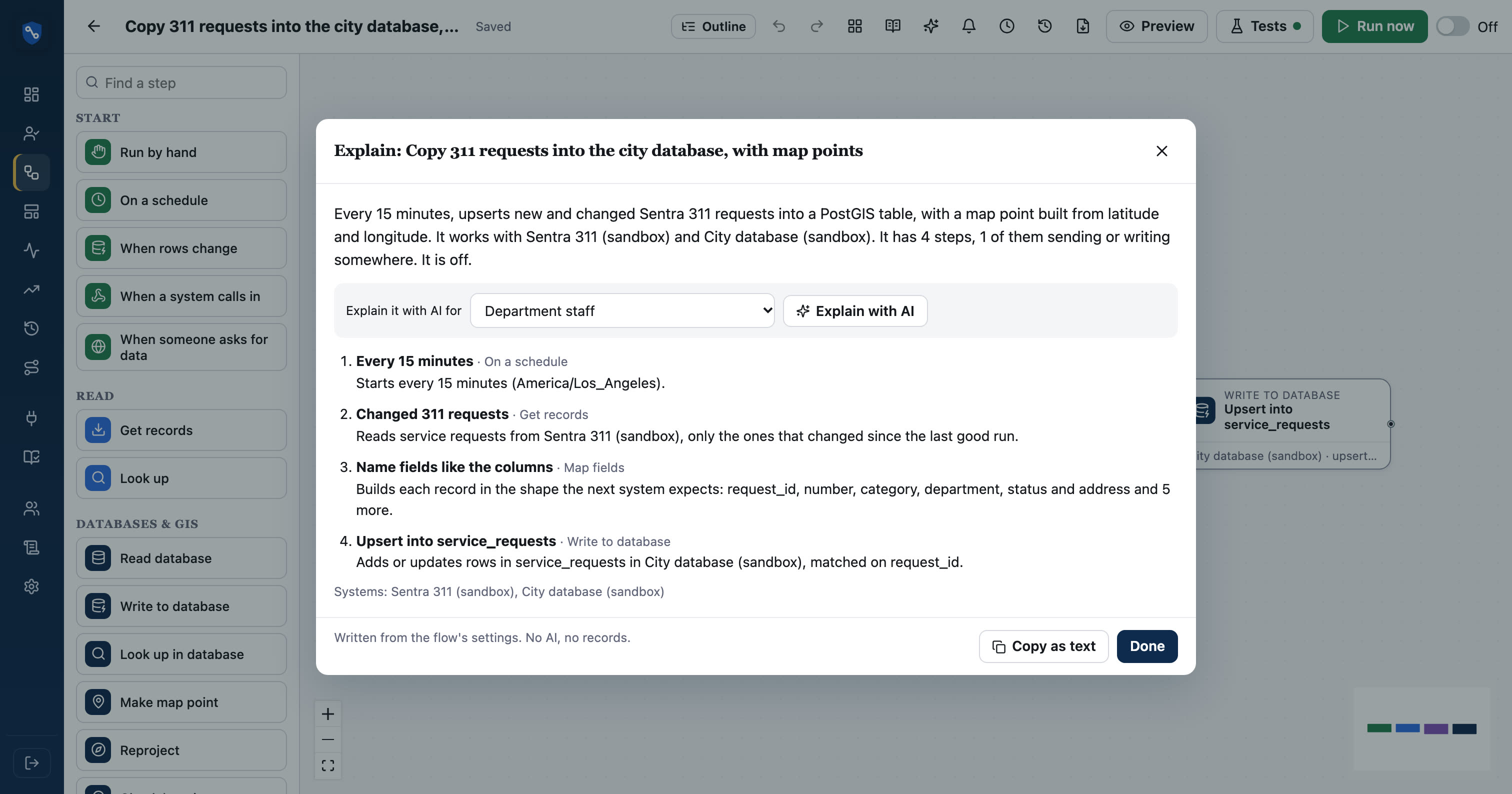
Press Explain on any flow for a step-by-step description in plain English: what starts it, what each step does, which systems it reads and writes. It's written from the settings with no AI, so it works on closed networks too. Turn on AI to explain it for a department, IT reviewers, auditors or a new team member, with things worth checking.
- Works without AI, from the settings alone
- AI adds what to check and questions to ask
- Copy as text for handover and audit notes
Claude can read, explain and draft your flows.
Connect Claude, or another assistant that supports MCP, with a personal token. It can list flows, explain them, trace a record, check run health and draft new flows from what you ask. Drafts arrive turned off; it can't change a flow that's on, and it only uses connections a person set up.
- Same role as the person, or less
- Drafts only, never turned on
- Every call shows in the activity log
Line up two systems' fields.
Mapping 40 fields between two systems is tedious. AI field mapping suggests which source field goes to which destination field, using names and descriptions. You accept, change or reject each suggestion.
- Uses field names, not values
- Suggestions, never silent changes
- Auto-map handles exact matches without AI
| from | to | ||
|---|---|---|---|
Subject | → | title | suggested |
Description | → | description | auto-mapped |
SuppliedEmail | → | contact_email | suggested |
Street__c | → | address | suggested |
Origin | → | (not mapped) | you decide |
AI on each record, when you choose.
The Ask AI about each record step sorts a 311 description into a category, translates it to Spanish, summarizes it, or pulls details out of free text. Only the fields you list are sent, the answers come back as new fields, and an admin must allow the step first.
- You choose exactly which fields leave SentraBridge
- Answers become fields, like category or summary
- A cap on records per run
Settings and names by default. Records only when you say so.
The builder, the explainer and field mapping see step settings and field names, never record contents, passwords or addresses. AI is off until an admin turns it on for the workspace, and every AI and MCP call is recorded: who, when, which model or tool. Nothing AI produces is kept as a copy of your records.
- Off until an admin turns it on
- Calls logged and kept as records
- A person turns every flow on
| Step types and settings | ✓ |
| Connection and field names | ✓ |
| Record values | only the fields you list, in an Ask AI step an admin allowed |
| Passwords, keys, addresses | ✕ never |
| Turning a flow on | ✕ never: a person does |
See it in real flows.
Load the bank's daily payment file into the city database
Every morning, reads new payment CSV files from the bank's SFTP folder, cleans and checks them, loads them into a database table, and archives the…
Utility billing (CIS) → Tyler Enterprise ERP (Munis)Utility billing vs general ledger daily balance check
Every morning, compares each day's payment total in utility billing with the cash receipts journal entry in Munis. Days that don't match, or have no…
Questions, answered
Does the AI see resident data?
The flow builder, the explainer and field mapping see settings and field names only. The Ask AI step sends only the fields you list, and only after an admin allows it.
Can AI turn on a flow?
No. AI drafts and changes flows that are off. A person previews the draft on real records and turns it on.
Which AI does SentraBridge use?
Anthropic's Claude, when an admin turns AI on. The plain-English explanation needs no AI at all.
Can we use our own AI assistant?
Yes. Any assistant that supports the Model Context Protocol (MCP), such as Claude, can connect with a person's token and work within that person's role.
Does it work on a closed network?
The plain-English explanation works anywhere. Drafting and AI explanations need access to Anthropic's service, so on an air-gapped network you'd leave AI off.
See your own systems connected.
We'll set up a workspace with your systems in a sandbox and build your first flow with you.