
Draw the integration.
Skip the code.
Cities build flows on a canvas: read records, change and check them, decide, then write them somewhere else. Every step is a box you can see, wire and test.
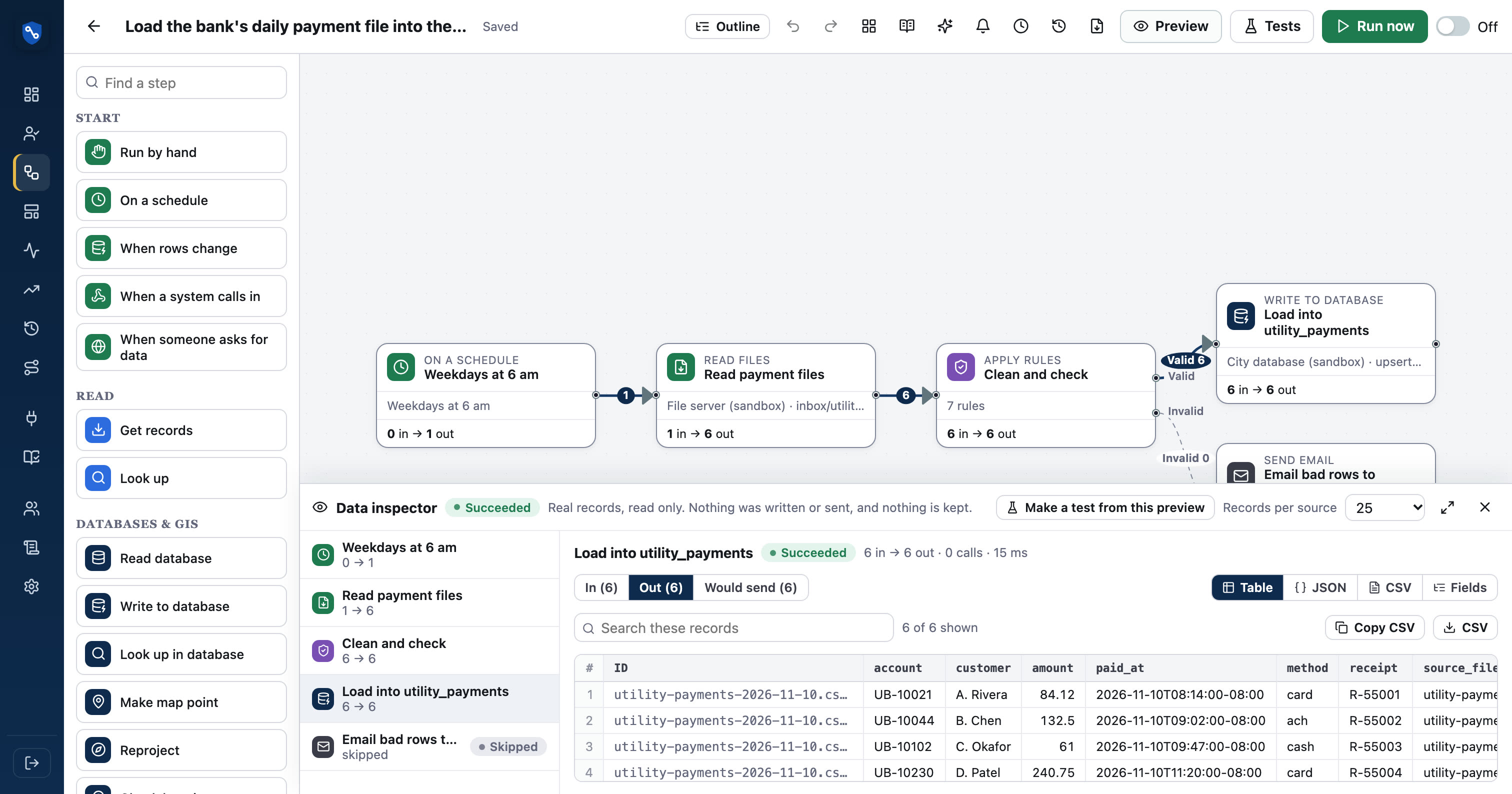
How flow designer works
- 01Pick a startBy hand, schedule, webhook or database change
- 02ReadGet records from an API, database or file
- 03ChangeMap, split, flatten, clean and summarize
- 04DecideFilter, if/else, rules with Valid/Invalid
- 05WriteSend records, files, emails or run a sub-flow
Everything a flow does, on one screen.
Drag steps from the palette or click to add them, then wire outputs to inputs. If/else steps have Yes and No outputs; Apply rules has Valid and Invalid. The settings panel for each step is built from the step's own definition, so every option is labelled in plain English.
- Start by hand, on a schedule, by webhook or when database rows change
- Problems are flagged on each step; a flow can't be turned on until they're fixed
- Field pickers suggest names from the connector catalog and from preview data
- Auto-map lines up fields with the same meaning
Read, change, decide, write.
The steps cover what city integrations actually need, without a scripting language. Templates like {{first_name | upper}} fill in values, with 22 filters and 17 rule operators.
- Read: get records, look up, read database, read files
- Change: map fields, split list, flatten, rows to records, remove duplicates, sort, keep first, summarize, make map point
- Decide: filter, if/else, combine, apply rules
- Write: send records, write to database, write file, transfer file, send email (CSV or JSON attached), run another flow
Build a step once. Use it everywhere.
Any flow can hand its records to another flow. A data-quality alert, a lookup routine or a standard notification becomes one shared piece instead of a copy in every flow.
- Run another flow passes records in memory
- Templates ship with a reusable data-quality sub-flow
- Change the sub-flow once and every caller gets it
Autosave, undo, tidy and export.
Work is saved as you go. Undo and redo cover every change on the canvas, and Tidy lays a messy flow out left to right. Flows export and import as YAML with no secrets in them, so a flow can move between workspaces or live in version control.
- Connections are matched by name on import
- Version history with compare and restore
- Notes on any step for the next person
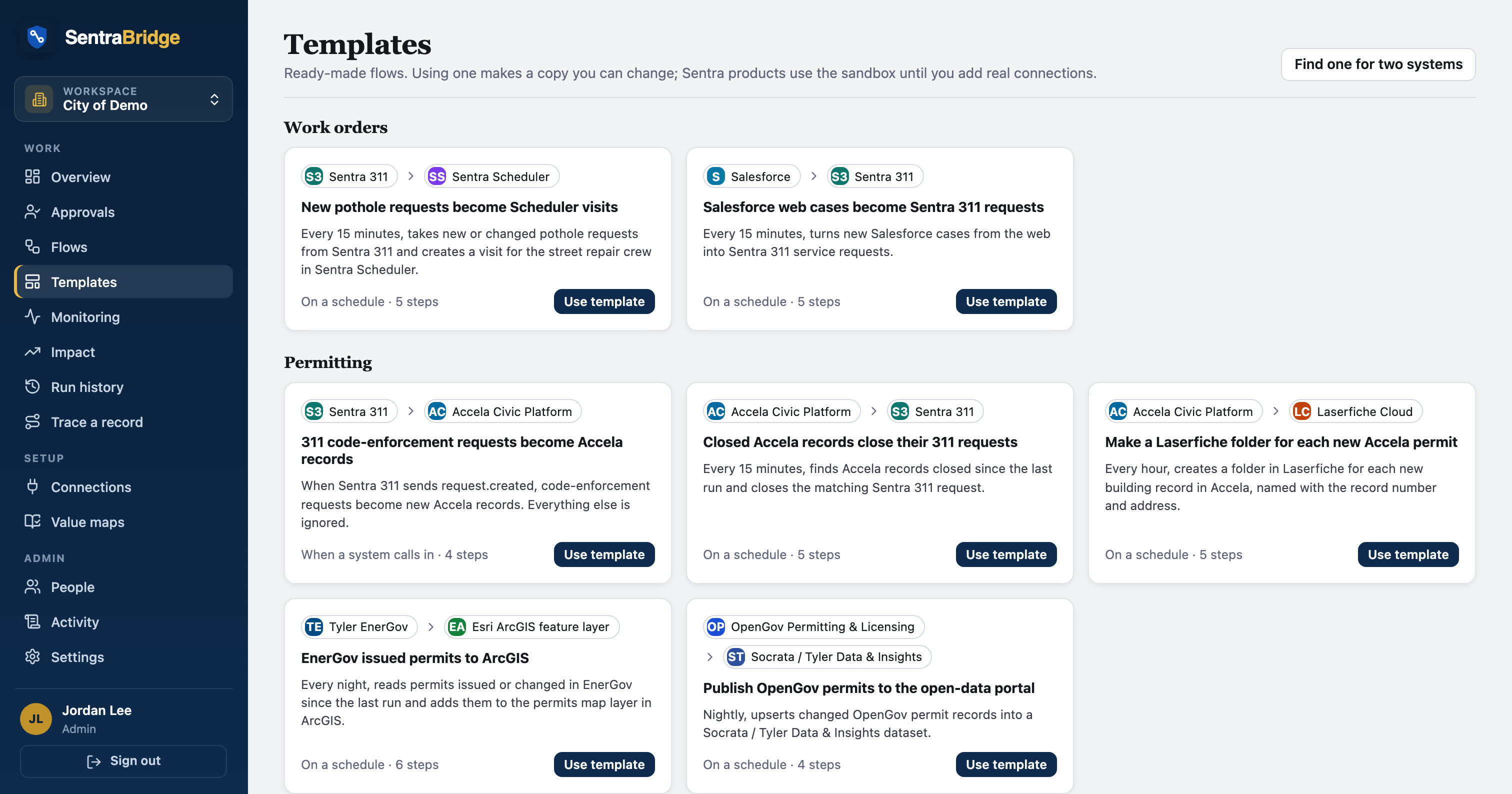
Prove a change is safe before it goes live.
Give a flow made-up records and say what should come out: how many pass a filter, what a step would send. Tests run without reading, writing or sending anything. A flow can't be promoted to Production while its tests fail, unless an admin overrides it with a reason.
- Make a test from a preview, with values replaced by made-up ones
- Runs before promotion, and before turning on if you choose
- Results kept; record data is never kept
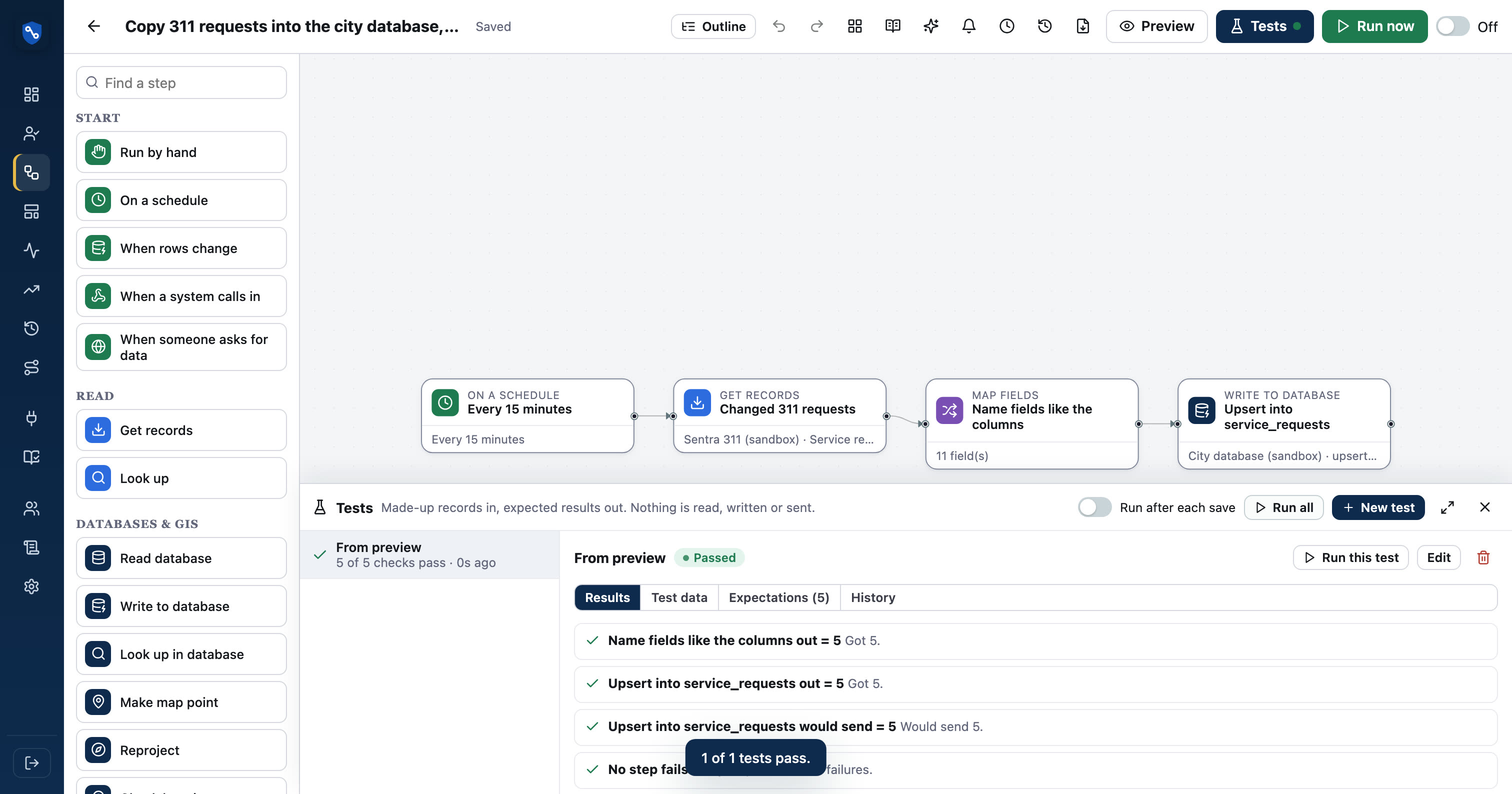
The whole flow as a list, for keyboards and screen readers.
Everything the canvas does also works from a structured list: add, rename, move and delete steps, wire outputs like Yes and No, open settings, preview. Each change is announced. It's the default view on small screens.
- Alt+Shift+O switches views
- Steps described in plain English
- Checked with automated accessibility tests
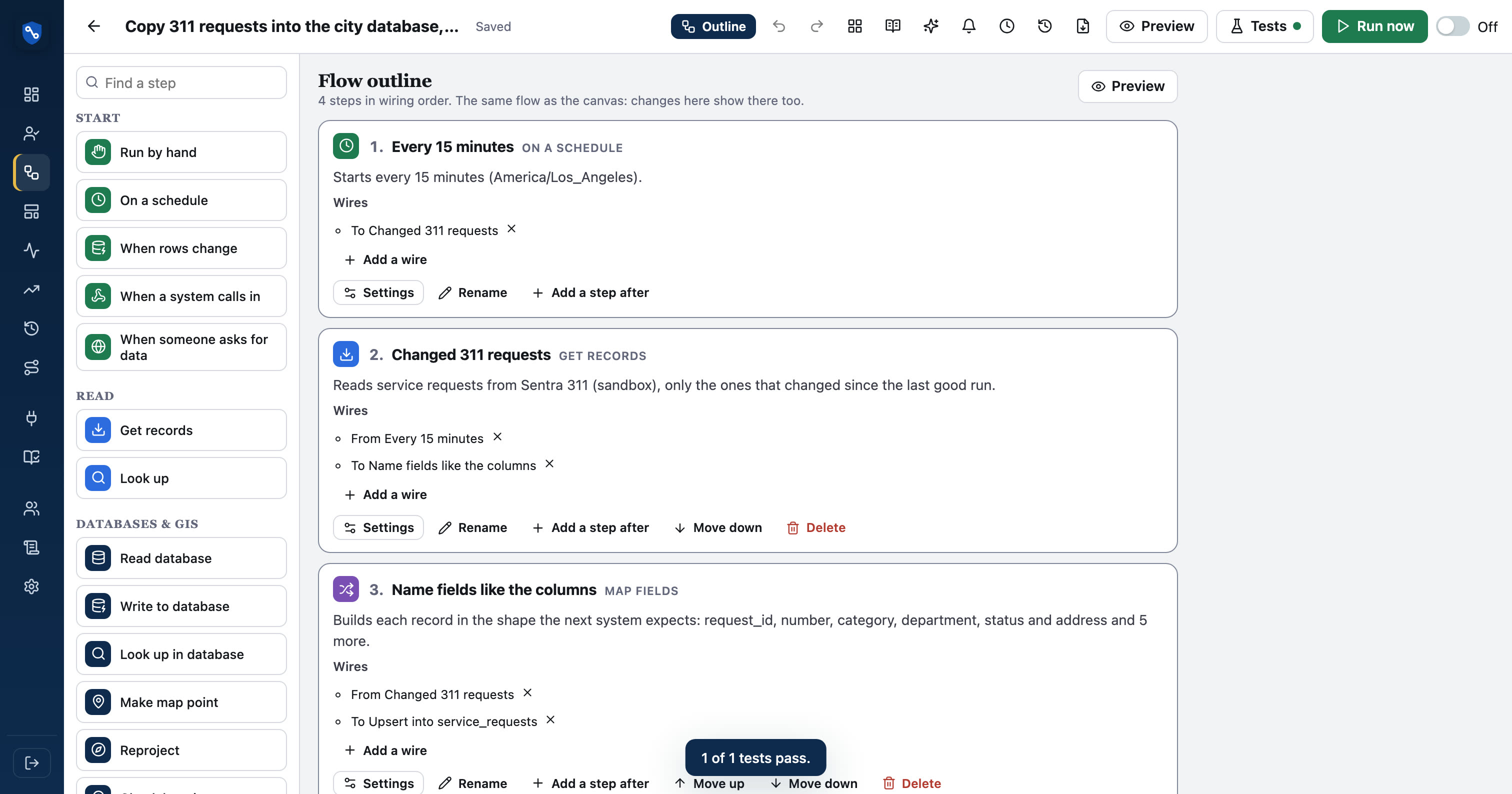
All 42 step types.
Read straight from the product's step definitions, so this list is always current.
Start
- Run by handStarts when someone presses Run now.
- On a scheduleStarts on a timetable, in your time zone. Also runs by hand.
- When rows changeStarts when rows are added or changed in a database table, and hands the flow the changed rows. No change, no run.
- When a system calls inStarts when another system POSTs JSON to this flow's private web address. The data is used and dropped, never stored.
- When someone asks for dataPublishes this flow as a data API: each request runs the flow live and answers with its records as JSON. Read-only: the flow can read, look up, change and filter, but not write or send.
Read
- Get recordsReads a list of records from a connection.
- Look upFor each record, reads one more thing from a connection and adds it to the record.
Database
- Read databaseReads rows from a city database table, or runs a read-only query. PostgreSQL/PostGIS, MySQL, SQL Server.
- Write to databaseInserts or updates a row per record. Fields are matched to columns by name; others are ignored.
- Look up in databaseFor each record, finds a matching row in a table and adds it to the record.
- Make map pointBuilds a map point from latitude and longitude: for ArcGIS layers, GeoJSON or WKT.
- ReprojectConverts coordinates between systems: State Plane (feet or meters), UTM, Web Mercator, WGS 84 latitude/longitude. Works on two fields or a GeoJSON/ArcGIS geometry. Definitions are built in.
- Check locationsChecks map locations: real latitude/longitude, swapped coordinates, inside your city or county, and polygons that close and don't cross themselves. Problems leave by Invalid with the reasons.
- Edit ArcGIS layerAdds, updates or deletes features in an ArcGIS feature layer in batches (applyEdits). Matches by OBJECTID, GlobalID or a key field, and tracks each feature's result.
Files
- Read filesReads CSV, JSON, JSON Lines or XML files from SFTP, S3, Azure Blob or SharePoint, one record per row. Files are read in memory, never kept.
- Write fileWrites the records to a CSV, JSON, JSON Lines or XML file on SFTP, S3, Azure Blob or SharePoint: one file per run, or one per record. Also good for backups.
- Transfer fileFor each record, downloads a document (agenda, minutes, permit PDF…) and uploads it to an API or an SFTP folder, with metadata. In memory only: files are never kept.
Change
- Map fieldsBuilds each record in the shape the next system expects.
- Split listTurns a list inside each record into one record per item.
- Apply rulesCleans and checks fields: trim, format phones and dates, translate codes with value maps, require values. Records that fail a check leave by Invalid, with the reasons.
- Ask AI about each recordUses AI on each record: sort a 311 description into a category, translate to Spanish, summarize, or pull details out of free text. Sends the fields you list to the AI service (Anthropic), so an admin must allow it.
- Rows to recordsTurns spreadsheet rows (lists of cells) into records, using the first row as field names.
- FlattenTurns nested fields into flat ones (address.city becomes address_city). Handy for spreadsheets and databases.
- Remove duplicatesKeeps the first record for each value of a field.
- SortPuts records in order.
- Keep firstKeeps only the first N records.
- SummarizeGroups records and measures each group (count, add up, average, smallest, largest, count different values): one record per group.
- PivotTurns values into columns, like a spreadsheet pivot table: one record per row key, one column per value (e.g. one column per month).
- UnpivotTurns columns into rows: a record with jan, feb, mar becomes three records with field and value.
- CalculateAdds fields from formulas, like a spreadsheet: amount * 1.0825, concat(first, " ", last), days_between(opened, closed). Records whose formula fails leave by Invalid.
- Protect fieldsMasks, tokenizes or encrypts sensitive fields (SSNs, account numbers, tax data) before they go on. Encryption is AES-256 with this client's own key, optionally held in their AWS KMS.
Decide
- FilterLets through only the records that match.
- If / elseSends matching records one way and the rest the other way.
- Wait for approvalPauses here and asks people to approve. On approval the flow continues for the approved records, read again from where they came from. Only record IDs are kept while it waits.
- CombineJoins records from several steps into one stream.
- Reconcile
- Join
- WaitWaits before going on (1 second to 15 minutes), for systems that need a moment. Preview doesn't wait.
Write
- Send recordsCreates or updates a record in a connection for each record that arrives.
Act
- Send emailSends an email, one per record or one summary for the run.
- Call an MCP toolUses a tool from an MCP server for each record (look up a parcel, check a list, open a ticket) and adds its answer to the record. Only the arguments you set are sent.
- Run another flowStarts another flow and hands it these records.
See it in real flows.
311 triage: route every request to the right system
Cleans and checks changed 311 requests, sends bad ones to a data-quality sub-flow, checks the city database to see if each is new, then routes new…
PostgreSQL / PostGIS → Esri ArcGIS feature layer → SFTP serverPermit pipeline: map issued, report finaled, file expired
Nightly, reads changed permits with a SQL query, cleans and checks them, then puts issued permits on the ArcGIS map, emails building a total of…
Sentra 311 → SentraQueue → PostgreSQL / PostGIS → SFTP serverMorning operations digest from three systems
Weekdays at 7 am, reads 311 requests, SentraQueue lobby visits and database work orders, puts them in one shape, combines and sorts them, emails a…
Questions, answered
Do I need to know how to code?
No. Steps are configured with forms, field pickers and plain-English options. People who do code can still write templates like {{amount | number}} or a read-only SQL query where it helps.
How big can a flow get?
The 311 triage template has 18 steps with nested branches, a database lookup, a sub-flow, a summary and four destinations. Tidy layout and sub-flows keep larger flows readable.
Can I keep flows in Git?
Yes. Export a flow as YAML (no secrets included) and import it into another workspace, where connections are matched by name.
See your own systems connected.
We'll set up a workspace with your systems in a sandbox and build your first flow with you.