A daily balance check between utility billing and the general ledger
Utility payments and the cash receipts entry in the ERP should agree every day. How to automate that check, what to match on, how to handle rounding and timing, and what to send to finance.
Every day, a city utility takes in payments: at the counter, online, by mail and by autopay. Those payments are posted in the utility billing system, and a cash receipts entry lands in the general ledger. In theory the two totals match. In practice, finance staff check them by hand, often days later, with two reports side by side.
A daily automated check finds differences while they are still easy to explain.
Why the totals drift
Most differences have ordinary causes:
- A batch was posted in billing but the journal entry wasn't created.
- A payment was reversed in one system and not the other.
- A payment arrived after the cut-off and landed on a different day.
- Someone typed an amount by hand and transposed two digits.
- Rounding on fees or partial payments.
None of these is dramatic on its own. Found a month later, each one takes far longer to trace.
What the check does
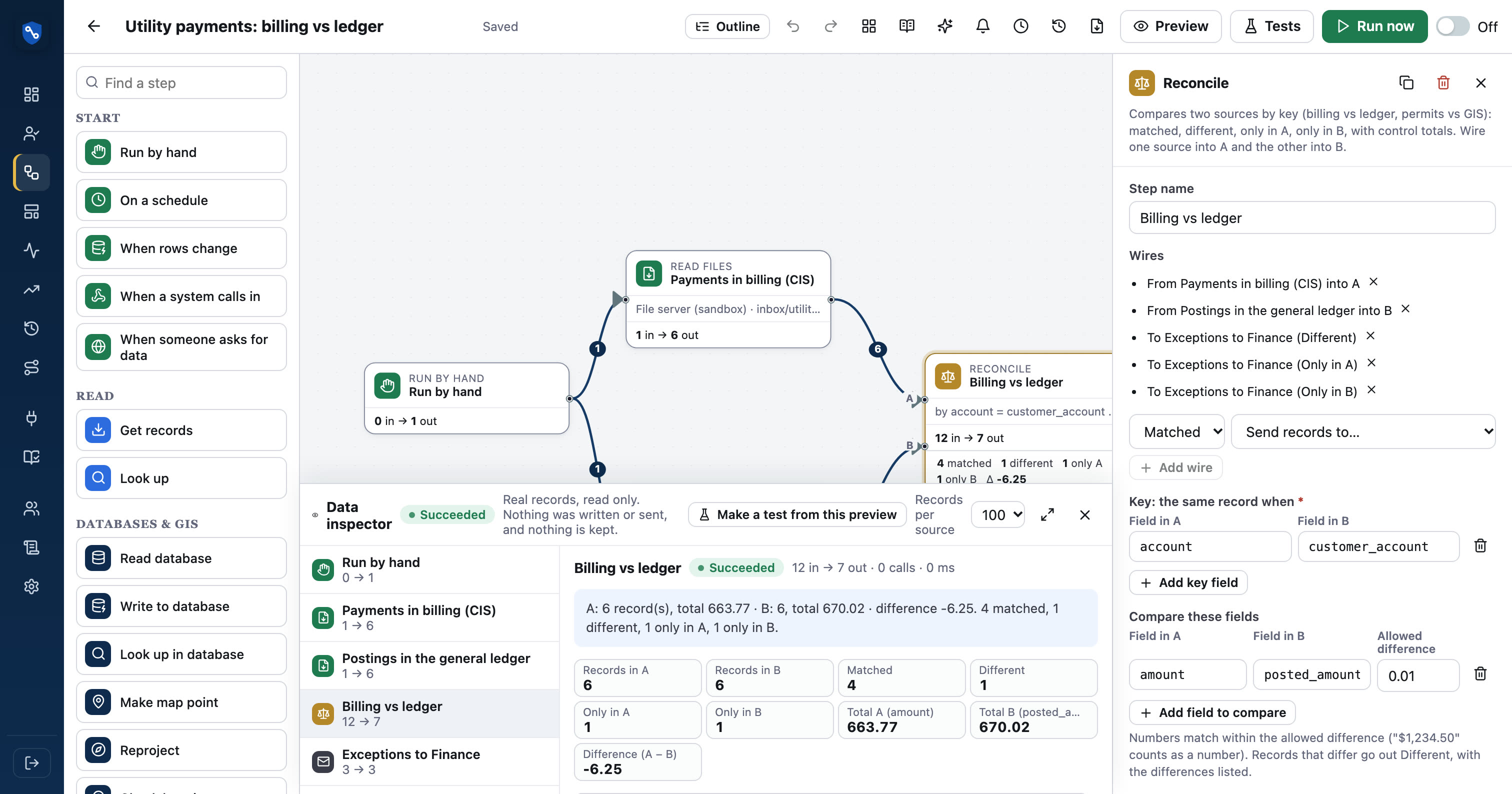
The idea is simple: read both sides, match them, and report what doesn't agree.
In plain terms:
- On a schedule, every morning. Look at yesterday, or the last few days to catch late postings.
- Read A: utility billing. Payment totals by day, and by payment type if useful.
- Read B: the general ledger. The cash receipts journal entries for the same days.
- Reconcile. Match by date (and type), compare amounts within a small tolerance.
- Act. Email finance the days that differ, or have no journal entry at all.
Choosing what to match on
The match key is the most important decision.
| Match on | Good for | Watch for |
|---|---|---|
| Date only | Simple daily totals | Hides offsetting errors in different types |
| Date and payment type | Counter, online, lockbox separately | Type codes must line up between systems |
| Batch number | Systems that share a batch ID | Often not carried into the ledger |
Start with date and payment type if both systems carry a type. If the codes differ, a small value map translates one set into the other.
Four outcomes, not two
A good reconcile doesn't just say "match" or "no match". It sorts every record into one of four groups:
- Matched: both sides agree.
- Different: both sides exist, but amounts disagree. Show both values.
- Only in billing: payments posted with no journal entry.
- Only in the ledger: a journal entry with no matching payments.
Each group needs a different response, so send them separately or label them clearly.
Rounding and timing
Tolerance
Allow a small tolerance, such as a few cents, if your systems round differently. Keep it small and documented. A tolerance that hides real errors defeats the purpose.
Cut-off times
If online payments after 5 pm are posted the next day in one system but the same day in the other, daily totals will never match. Either align the cut-off or compare a rolling two-day window.
Control totals for the auditor
Each run should keep record counts and the sum of amounts on both sides, plus the difference. Over a year, that history shows auditors that the check ran every day and what it found, without keeping the payment records themselves.
What to send finance
Keep the exception email short and useful:
- The date and payment type.
- The amount on each side, and the difference.
- Which group it falls into.
- A link to the run, so anyone can see what was compared.
If nothing differs, consider a short "all balanced" note, so silence never has to be interpreted.
The same pattern elsewhere
Once the daily check works, the same pattern fits other pairs: the payment processor's file against billing, the bank's deposit file against cash receipts, or permit fees against the ledger.
In SentraBridge
SentraBridge's Reconcile step matches two sources by key, with tolerance, and sorts records into Matched, Different, Only in A and Only in B, keeping control totals in run history. A ready template compares utility billing with Munis cash receipts. The Munis connector is built from Tyler's public descriptions and is confirmed with your own documentation during setup. See reconcile.