Testing integration flows before go-live
A practical testing routine for city integrations: preview on real records, tests with made-up data, a dry run against test systems, and a watched first week. How to do it without writing to production by accident.
Most integration problems are found the same way: on the first real run, in production, by the people who depend on the data. A permit lands without an address. A payment posts twice. A 311 request closes when it shouldn't.
A short, consistent testing routine finds most of these first. It doesn't need a QA department, just a habit.
Four kinds of testing
Each one catches different problems.
| Test | Uses | Catches |
|---|---|---|
| Preview | A few real records, nothing written | Field mismatches, empty values, wrong formats |
| Flow tests | Made-up records with expected results | Logic errors in rules and branches |
| Test environment run | Real writes to test systems | Destination errors, permissions, duplicates |
| Watched first runs | Production, with eyes on it | Volume, timing, real-world surprises |
1. Preview on real records
Before anything else, read a handful of real records and look at each step's output. You will spot problems no specification mentions:
- Dates in three different formats.
- A status field that is sometimes blank.
- Addresses with the unit number in the street line.
- Codes that don't exist in your value map yet.
The key requirement is that preview must not write or send anything. Ask any tool you use to prove that.
2. Write flow tests
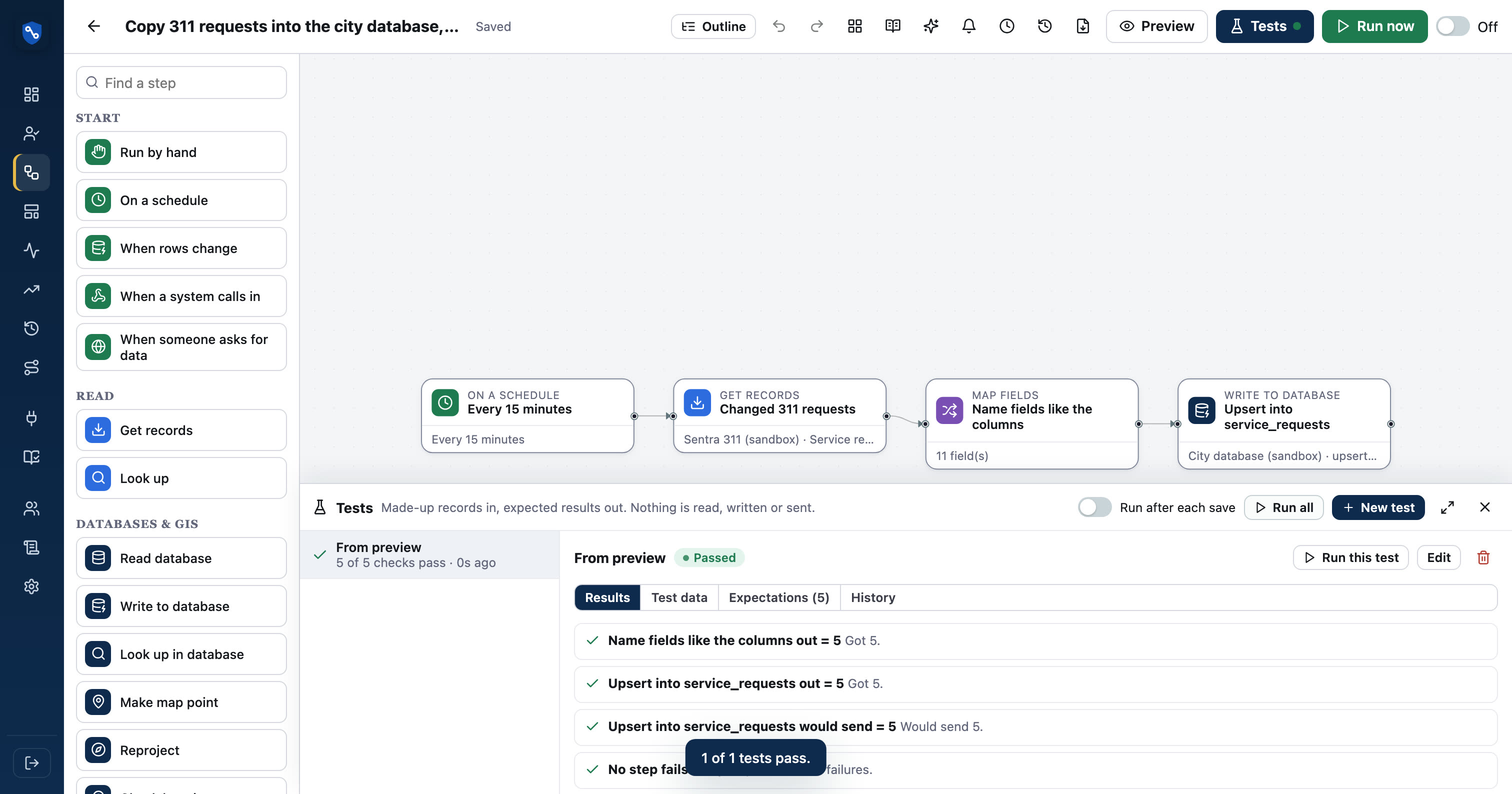
A flow test is a small set of made-up records with the result you expect. For example:
- A pothole request should go to the street crew.
- A request with no address should go to the data-quality list.
- A closed request older than 30 days should be skipped.
Run them every time the flow changes. They catch the case where a fix for one problem quietly breaks another.
Good test cases
- One normal record for each main path through the flow.
- Each edge case you have seen in real data: empty fields, odd codes, very long text.
- One record that should be rejected.
Use made-up names and addresses. Test data should never be copied from real residents.
3. Run against test systems
Many systems have a test or sandbox environment: Accela, ERPs, ArcGIS and most databases can. Run the flow for real against them. This catches problems preview can't:
- The destination rejects a field the documentation said was optional.
- The integration user lacks permission for one record type.
- A second run creates duplicates instead of updating.
Run it twice in a row. The second run should change nothing, or only update records. If it creates duplicates, fix that before production.
4. Watch the first runs
Turn the flow on in production at a quiet time, and watch:
- The first run: check counts, then spot-check a few records in the destination.
- The first day: look for failures and any unexpected volume.
- The first week: confirm the schedule, alerts and exception emails behave as intended.
Tell the people who use the destination system that the flow is new. They will often spot a problem before any alert does.
Make it a routine
A one-page checklist, used for every flow, works better than an elaborate plan used once.
- Preview on at least 25 real records, across different types.
- Flow tests for each path, all passing.
- Two runs against test systems, with no duplicates.
- Failure alerts go to a real person who knows what to do.
- A data-health alert for "no records read".
- First production run watched, with spot checks.
- The flow's owner and purpose written in its description.
When the flow changes
Testing isn't only for new flows. Any change, even a small one, should go through preview and the flow tests. That is where most production problems come from: a quick fix made on a Friday afternoon.
In SentraBridge
In SentraBridge, preview reads 5, 25 or 100 real records and shows every step's output without writing anything. Flow tests run made-up records in a dry mode that never writes or sends, and "Make a test from this preview" builds one with values anonymized. Workspaces can require passing tests before a flow is turned on, and test workspaces can be linked to production. See the flow designer and data inspector.